Deployments
Three things describe where software runs:
- An Environment is a named stage, such as
prodorstaging, defined once inworkspace.yaml. - A Deployment Target is a place a Service runs in: a region, a cluster in it, a namespace, a platform.
- A Deployment is one Service running in one Environment on one Target.
Deployment Targets
Section titled “Deployment Targets”Targets nest to any depth, each with a kind that says what it is. They are declared under targets in any Project file. Big Bank’s Platform Team declares the cloud region with its clusters, and the Core Banking Team’s data centre:
targets: aws-eu-west-2: name: AWS eu-west-2 (London) kind: region targets: eks-prod: name: EKS prod kind: cluster eks-staging: name: EKS staging kind: cluster msk-prod: name: MSK prod kind: platform london-dc: name: London data centre kind: region owner: core-banking targets: zos-prod: name: z/OS production LPAR kind: platform zos-test: name: z/OS test LPAR kind: platformTargets aren’t Elements: nothing depends on a cluster, and it never shows on a structural diagram. They do share the Project’s ids with Elements, have an Owner of their own (the London data centre is Core Banking’s), and can be linked from ADRs. Other Projects use them by Qualified id, as platform:eks-prod.
A Target isn’t tied to one Environment. Which Environments a Target serves follows from the Deployments on it.
Deployments
Section titled “Deployments”Deployments are listed under deployments, each naming its service, environment and target:
deployments: - service: web-app environment: prod target: platform:eks-prod url: https://bigbank.example/ib - service: web-app environment: staging target: platform:eks-staging url: https://staging.bigbank.example/ib - service: api environment: prod target: platform:eks-prod url: https://api.bigbank.example endpoints: - name: health url: https://api.bigbank.example/actuator/health - service: api environment: staging target: platform:eks-staging url: https://api.staging.bigbank.example - service: database environment: prod target: platform:eks-prod - service: notifications environment: prod target: platform:eks-prodThe Service, Environment and Target name the Deployment; the same three can appear only once (duplicate-deployment). Only a Service can be deployed: Systems and Components run as part of their Services.
URLs live on Deployments
Section titled “URLs live on Deployments”A Service’s url belongs to a Deployment, because it differs per Environment: the API is https://api.bigbank.example in production and https://api.staging.bigbank.example in staging. endpoints adds further named URLs, such as a health check or an admin console.
That answers the QA Tester’s question, “what is this Service’s URL in staging?”: in the viewer’s Element panel, or over MCP with get_deployments. Agents can go the other way too: search_elements resolves a URL or host name to the Service deployed there.
Deployment Views
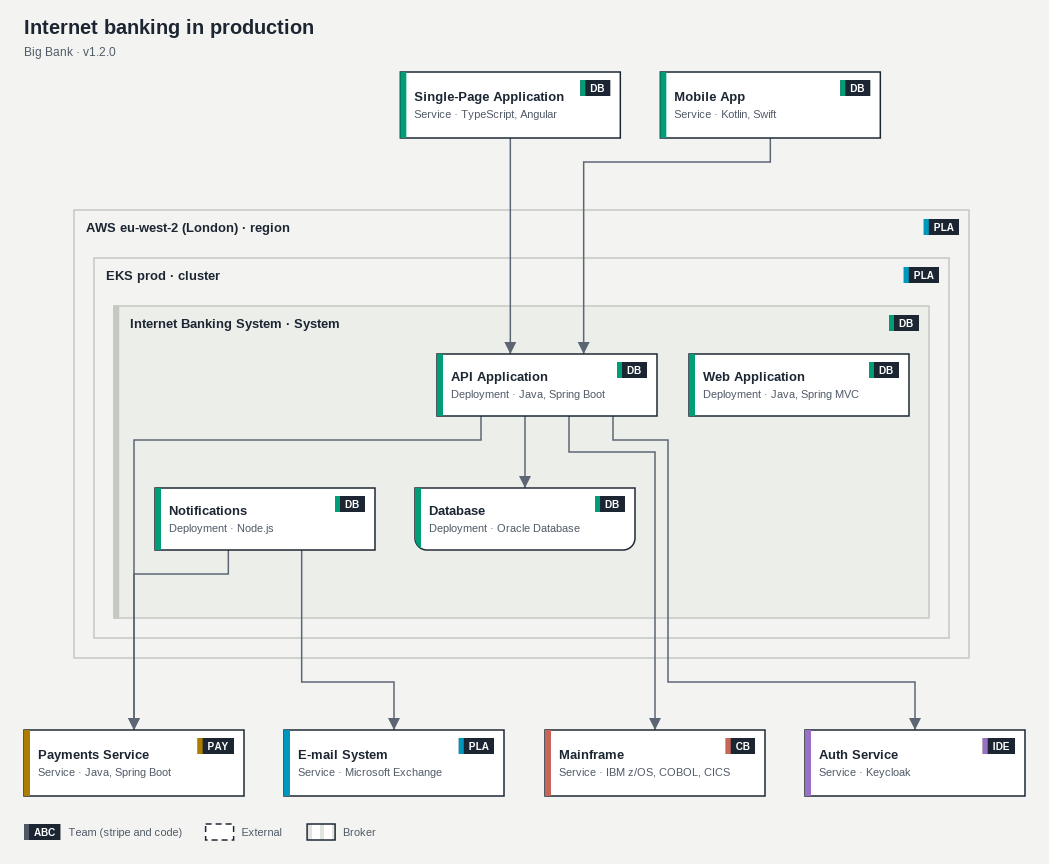
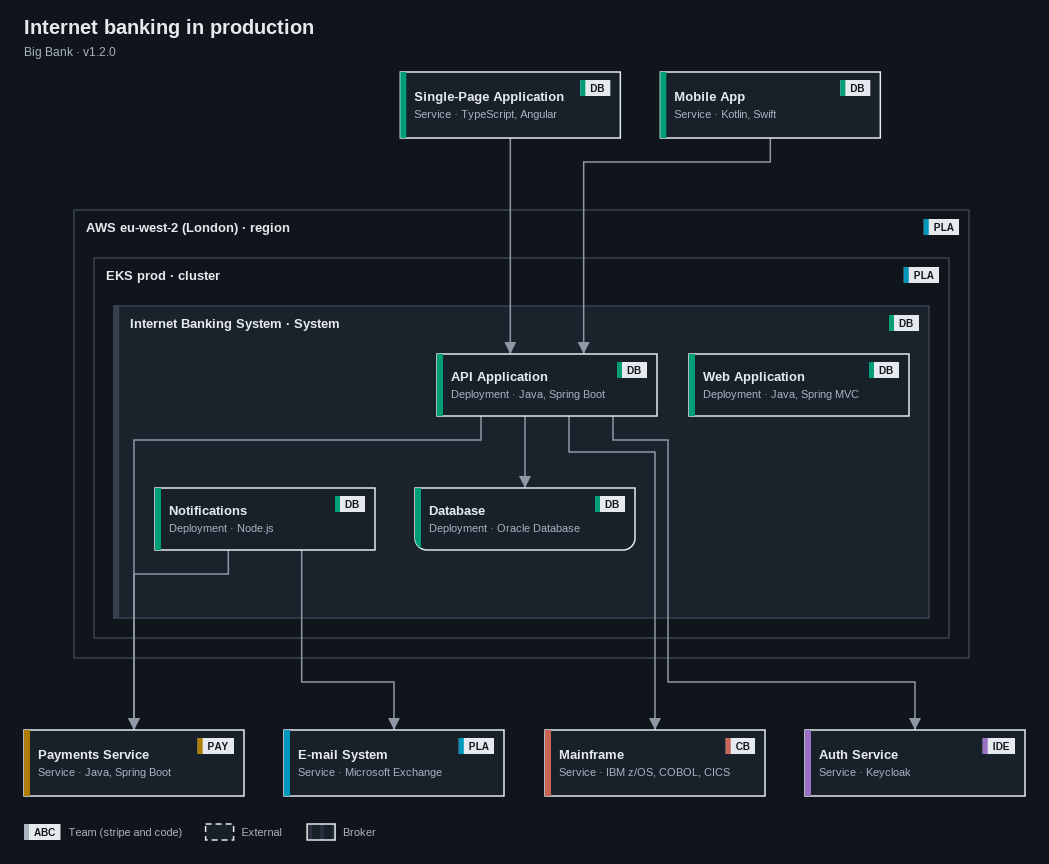
Section titled “Deployment Views”Each Environment has a Generated Deployment View, deployment/<environment>, which places every Deployment on its Target, nested as the Targets nest. A Saved View with level: deployment narrows one down, as Big Bank’s view of internet banking in production does:
prod-deployment: title: Internet banking in production level: deployment environment: prod include: - element: internet-banking with: descendants